Image Compressor
Compress JPG and PNG images with a live quality slider and see the exact size saving before you download. Everything runs in your browser.
An image compressor re-encodes a photo at a lower quality setting to cut its file size, usually by 60-80% with no visible difference at 80% quality. Compression happens on a canvas in your browser and the original file is never uploaded.
Runs entirely in your browser · no signup · nothing is uploaded · updated 2026-08-29
or drop it here - the file never leaves your browser
How to use it
- 1.Choose an image or drop it in.
- 2.Move the quality slider and watch the file size change in real time.
- 3.Stop at the point where you can first see a difference, then step back one notch.
Embed this image compressor on your site
Free to use on any blog, class page or wiki. Paste the snippet and keep the credit line under it.
<iframe src="https://rankcert.com/embed/image-compressor" title="Image Compressor" width="100%" height="600" style="border:0;border-radius:12px" loading="lazy"></iframe>
<p style="font-size:13px">Free <a href="https://rankcert.com/tools/image-compressor">image compressor</a> by RankCert</p>
Frequently asked questions
What quality setting should I use?
80% is the usual sweet spot for photographs - typically a 60 to 80% size reduction with no visible difference. Below 60% compression artefacts start showing on gradients and skin tones.
Is this lossless?
No. It re-encodes as JPEG, which is lossy by definition. That is what makes the saving large. For lossless compression you want a PNG optimiser instead.
Why did my PNG get bigger?
PNGs with few colours are already efficiently compressed, and re-encoding a screenshot as JPEG can grow it. For flat-colour images, convert to WebP instead.
How small should a web image be?
Under 200KB for a hero, under 100KB for anything else. Google flags images over roughly 500KB as a Core Web Vitals problem, and they are usually the cause of a slow LCP.
How small should a web image be?
Under 200KB for a hero and under 100KB for everything else. Google's Lighthouse flags images that could save more than 4KB, which in practice means most unoptimised photos.
What is the difference between lossy and lossless compression?
Lossy discards detail the eye is unlikely to notice and cannot be undone. Lossless rearranges the data so it reconstructs exactly, and saves far less. JPEG and WebP are lossy; PNG is lossless.
Why did compressing my screenshot make it worse?
Screenshots are flat colour and sharp text, which JPEG handles badly - it produces ringing around the edges. Keep screenshots as PNG or lossless WebP.
Does compressing images help SEO?
Indirectly and reliably. Images are the largest asset on most pages, so they usually determine Largest Contentful Paint, which is a ranking signal.
The guide behind this tool
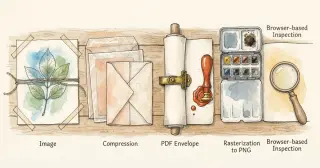
Images to PDF and back: what conversion does
How an image is embedded in a PDF, what page size and compression to expect, and why browser-based conversion is the safer default for private files.
3 min read
Image optimization: the four decisions that matter
Format, dimensions, compression level and loading strategy - the four image decisions that decide your LCP, with the numbers to use for each.
3 min read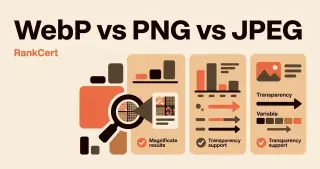
WebP vs PNG vs JPEG: which format for which image
How the three main web image formats actually differ, what each costs in bytes, and a decision rule you can apply without thinking about it.
2 min read
Tools that pair with this one

PNG to PDF
Turn a PNG, JPG or screenshot into a PDF in your browser. No upload, no signup, no watermark - the file never leaves your device.
Images
PDF to PNG
Render every page of a PDF as a high-resolution PNG in your browser. Nothing is uploaded, there is no page limit and there is no watermark.
Images
PNG to JPG
Convert a PNG to JPG in your browser with a quality slider, and see exactly how much smaller the result is before you download it.
Images
JPG to PNG
Convert a JPG to lossless PNG in your browser, ready for editing, transparency work or any tool that refuses JPEG.
Images