PDF to PNG Converter
Render every page of a PDF as a high-resolution PNG in your browser. Nothing is uploaded, there is no page limit and there is no watermark.
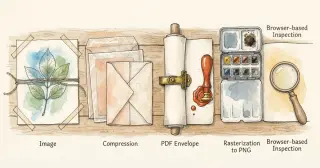
A PDF to PNG converter rasterises each page of a PDF into an image you can crop, paste or embed. This one renders every page at twice its natural size directly in your browser, so the document never leaves your device.
Runs entirely in your browser · no signup · nothing is uploaded · updated 2026-09-02
or drop it here - the file never leaves your browser
How to use it
- 1.Choose or drop the PDF - it is read locally, never uploaded.
- 2.Every page is rendered at 2x scale for a sharp result.
- 3.Download all pages at once, or pick individual pages from the previews.
Embed this pdf to png on your site
Free to use on any blog, class page or wiki. Paste the snippet and keep the credit line under it.
<iframe src="https://rankcert.com/embed/pdf-to-png" title="PDF to PNG" width="100%" height="600" style="border:0;border-radius:12px" loading="lazy"></iframe>
<p style="font-size:13px">Free <a href="https://rankcert.com/tools/pdf-to-png">pdf to png</a> by RankCert</p>
Frequently asked questions
How do I convert a PDF to an image without uploading it?
Use a browser-based converter like this one. The PDF is parsed and rendered on a canvas in the page, so a confidential document never reaches a server.
What resolution are the PNGs?
Twice each page's natural size, which is roughly 144 DPI for a standard document. That is sharp enough for screens and for pasting into slides.
Can I convert only one page?
Yes. Every page is previewed and each has its own download link, so you can take just the one you need.
Why did my PDF fail to render?
Password-protected PDFs cannot be opened without the password, and a small number of files with unusual embedded fonts render imperfectly. Try re-saving the PDF from its source application.
Should I use PNG or JPG for PDF pages?
PNG for anything with text, diagrams or line art, because it is lossless and keeps edges crisp. JPG only for pages that are entirely photographic.
Is there a page limit?
No hard limit, but a very long document takes time and memory because every page is rendered at once. Split anything over about fifty pages.
Does this work offline?
Once the page has loaded, yes. Rendering happens entirely in your browser with no further network requests.
How is this different from taking a screenshot?
A screenshot captures your screen resolution and whatever is visible. This renders the page from the PDF's own vector data at double size, so text stays sharp when you zoom in.
The guide behind this tool
Tools that pair with this one
Image Resizer
Resize PNG, JPG, WebP and GIF images to exact pixel dimensions with aspect ratio locked. Runs entirely in your browser - no upload, no queue, no watermark.
Images
Image Compressor
Compress JPG and PNG images with a live quality slider and see the exact size saving before you download. Everything runs in your browser.
Images
SVG to PNG
Convert an SVG to a PNG at 1x to 8x scale, so logos and icons export crisp at whatever pixel size you need. Runs in your browser.
Images
Favicon Generator
Turn any image into the five favicon sizes browsers and mobile devices actually request, and get the HTML link tags to paste into your head.
Images