WebP to PNG Converter
Convert WebP images to PNG for tools and platforms that will not accept WebP. Transparency is preserved and nothing is uploaded.
A WebP to PNG converter decodes a WebP image and re-encodes it as lossless PNG, keeping any transparency. You need it when software refuses WebP - older design tools, some print workflows, and a few CMS uploaders that still reject the format.
Runs entirely in your browser · no signup · nothing is uploaded · updated 2026-08-29
or drop it here - the file never leaves your browser
How to use it
- 1.Choose a WebP file or drop it in.
- 2.The PNG is produced immediately with transparency intact.
- 3.Download it - the file never leaves your browser.
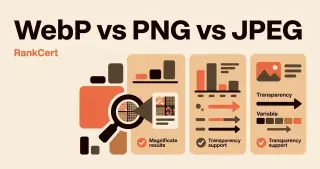
Image format comparison
Pick by what the image contains, not by habit. Photographs and screenshots want opposite formats.
| Format | Compression | Transparency | Best for |
|---|---|---|---|
| PNG | Lossless | Yes | Screenshots, logos, line art, anything with text |
| JPEG | Lossy | No | Photographs where size matters more than edges |
| WebP | Both | Yes | Almost everything on the web - 25-35% smaller than JPEG |
| AVIF | Both | Yes | Best compression, slow to encode, near-universal support |
| SVG | Vector | Yes | Logos, icons and diagrams at any size |
| GIF | Lossless, 256 colours | 1-bit only | Nothing new - use WebP or a video |
Embed this webp to png on your site
Free to use on any blog, class page or wiki. Paste the snippet and keep the credit line under it.
<iframe src="https://rankcert.com/embed/webp-to-png" title="WebP to PNG" width="100%" height="600" style="border:0;border-radius:12px" loading="lazy"></iframe>
<p style="font-size:13px">Free <a href="https://rankcert.com/tools/webp-to-png">webp to png</a> by RankCert</p>
Frequently asked questions
Why convert WebP to PNG at all?
Because some software still refuses WebP - older design tools, some CMS uploaders, certain print workflows and a few email clients. PNG is accepted everywhere.
Will the PNG be larger?
Almost always, often several times. PNG is lossless and WebP is usually lossy, so you are unpacking compressed data. Convert for compatibility, not for quality.
Does transparency survive?
Yes. Both formats support an alpha channel, so a transparent WebP produces a transparent PNG.
Can I recover quality lost by WebP compression?
No. Detail discarded during lossy compression is gone. Converting to a lossless format preserves what remains; it cannot restore what was thrown away.
Why will nothing open my WebP file?
It is a relatively recent format and some desktop software never added support. Converting to PNG is the reliable fix; PNG has been universal for thirty years.
Will the PNG be bigger than the WebP?
Nearly always, often several times over, because PNG is lossless and the WebP was probably lossy. That is expected, not a fault.
Can converting improve a blurry WebP?
No. Detail discarded by lossy compression is gone permanently. Converting preserves what is left; it cannot reconstruct what was thrown away.
How do I save a WebP image from a website as PNG?
Download the WebP, then convert it here. Right-click save-as in some browsers already offers PNG, but it re-encodes the same way this does.
The guide behind this tool
Tools that pair with this one

PNG to PDF
Turn a PNG, JPG or screenshot into a PDF in your browser. No upload, no signup, no watermark - the file never leaves your device.
Images
PDF to PNG
Render every page of a PDF as a high-resolution PNG in your browser. Nothing is uploaded, there is no page limit and there is no watermark.
Images
PNG to JPG
Convert a PNG to JPG in your browser with a quality slider, and see exactly how much smaller the result is before you download it.
Images
JPG to PNG
Convert a JPG to lossless PNG in your browser, ready for editing, transparency work or any tool that refuses JPEG.
Images