YouTube Transcript Generator
Live this weekGenerate, search, and download YouTube transcripts

About
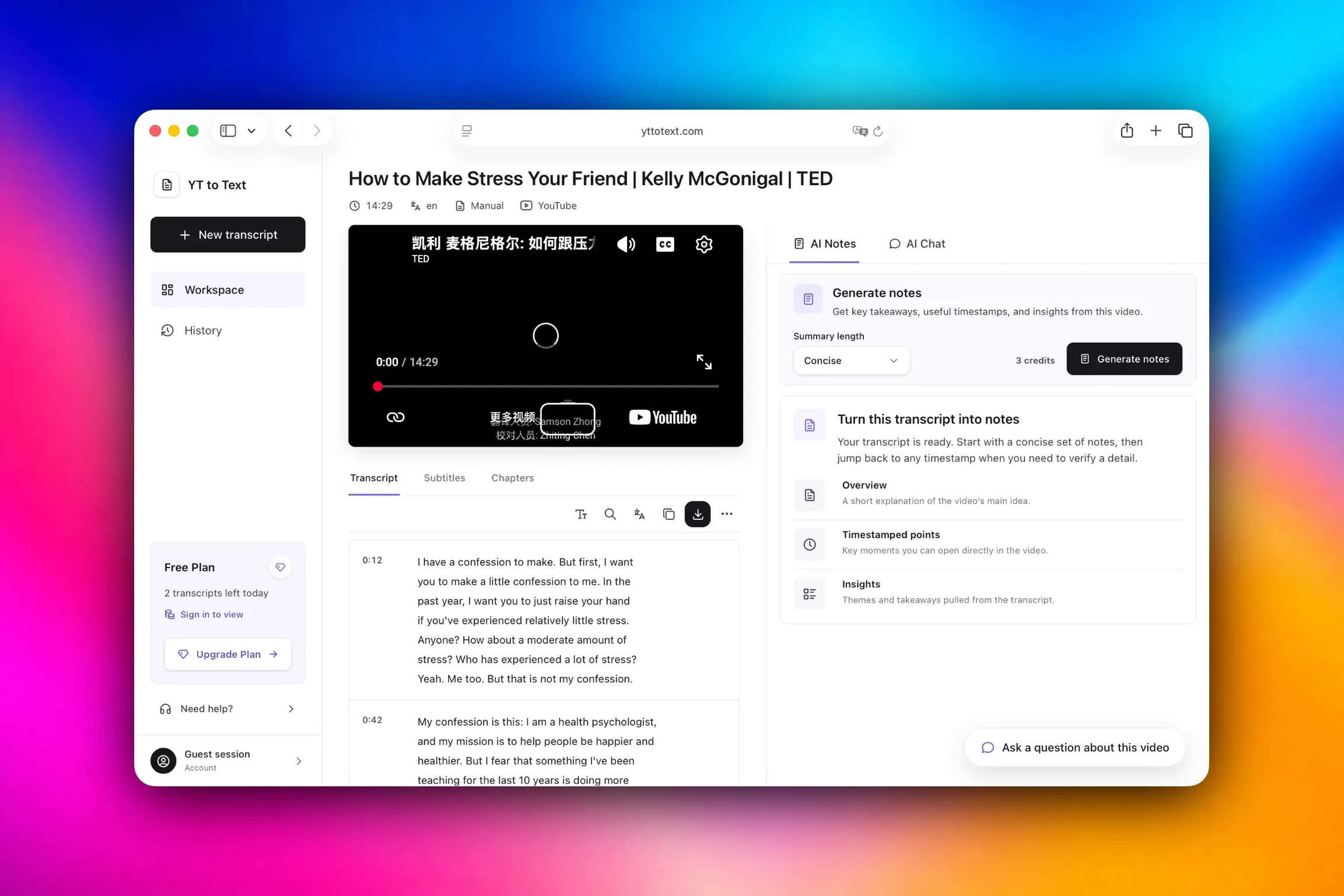
The YouTube Transcript Generator pulls captions from any YouTube video and presents them in a searchable workspace. Users can copy or download the transcript in TXT, SRT, VTT, DOCX, or PDF, and then use AI‑powered tools to create concise notes, mind maps, flashcards, or chat answers that reference timestamps. The service also accepts audio files up to 30 minutes long, making it a single‑stop solution for video and audio transcription.
The case
Who it is for
Researchers, students, content creators, podcasters, and anyone who needs to quickly extract and analyze video or audio content.
What is broken today
Before this tool, people had to manually copy captions, use separate services, or rely on auto‑generated subtitles that are hard to search. They lacked a single place to view, edit, and download transcripts, and couldn’t easily generate structured notes or AI insights.
What it does about it
The platform takes a YouTube link or an uploaded audio file, retrieves any available captions, displays them in a searchable workspace, and lets users download the transcript in TXT, SRT, VTT, DOCX, or PDF. AI credits are used to generate concise or detailed notes, mind maps, flashcards, or chat answers that reference timestamps.
Why not the obvious alternative
Unlike generic subtitle downloaders, it keeps timestamps linked to search results, offers AI‑powered summarization and study tools, supports bulk playlist transcripts, and provides API access and watchlists for automated workflows.
Gallery
Details
Considered instead of
Named by the maker, not measured by us. It tells you what this is competing with, not which one wins.
Questions
- How many transcripts can I generate each day?
- The free tier allows up to two successful transcript retrievals per device each day. All other usage is covered by your subscription or one‑time packs.
- What do AI credits do and how are they priced?
- AI credits power features like concise or detailed notes, mind maps, flashcards, and chat answers. Credits are separate from transcript retrievals and are included in paid plans or purchased in one‑time packs.
- Can I transcribe my own audio files?
- Yes. You can upload audio files in MP3, M4A, WAV, MP4, OPUS, OGG, FLAC, AAC, or AIFF up to 30 minutes and 100 MB. Audio minutes are counted separately from transcript retrievals.
- Does the service store my videos or transcripts?
- No. The platform never uploads or stores the video or transcript. All processing happens on the fly, and transcripts are only stored in your account history if you have a paid plan.
Nuco ZMaker3d
We're excited to launch the YouTube Transcript Generator, a free tool that turns video captions into searchable, downloadable transcripts. With AI‑powered notes, mind maps, flashcards, and chat, you can get deep insights without a subscription. Start transcribing today and explore the full suite of features.