
ScrollWise
VerifiedLive this weekLearn first. Scroll later

About
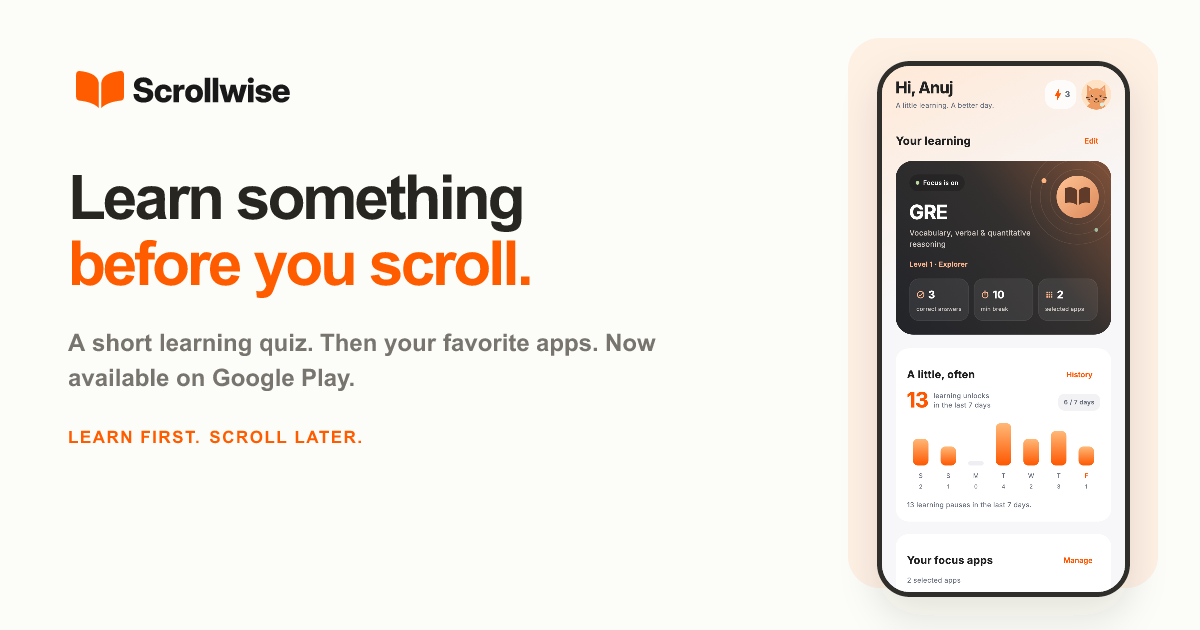
ScrollWise is an Android app that turns every scroll break into a learning moment. Users pick the apps to limit, answer a short quiz on a topic they care about, and then unlock their feed for a chosen period. The app tracks quiz history and progress, turning micro‑learning into a visible habit.
The case
Who it is for
People who want to limit phone scrolling but still use their favorite apps, such as students, language learners, or professionals needing quick study breaks.
What is broken today
Many users spend their free time scrolling through social media or other apps, pushing learning goals further away. Without a structured pause, learning opportunities are missed and habits around phone use become unproductive. Users struggle to find a simple way to incorporate learning into everyday breaks.
What it does about it
ScrollWise lets users choose the apps they want to limit and a learning topic. Before opening the app, the user answers a short quiz; reaching the correct‑answer target unlocks the app for a set amount of time. When that period ends, another quiz appears, creating a recurring learning checkpoint. The app logs quiz results and provides weekly reports to track progress.
Why not the obvious alternative
Unlike generic time‑blocking or app‑blocking tools, ScrollWise forces a learning action before each scroll session. It offers customizable quiz difficulty and unlock times, and provides visible progress tracking, turning brief phone breaks into intentional study moments.
Gallery
Details
Evidence
Every claim carries a source and a date
domain: verified
Source badge · verified 2026-11-25
Considered instead of
Named by the maker, not measured by us. It tells you what this is competing with, not which one wins.
Questions
- How does unlocking work?
- Before opening a selected app, you complete a learning quiz. Reach your correct‑answer target to unlock access. When your chosen time ends, another quiz appears before the next session.
- Can I choose the challenge and app time?
- Yes. You can set your learning topic, choose a target of 1, 3, 5, or 10 correct answers, and set app access to 5, 10, 15, or 30 minutes.
- Can I download ScrollWise now?
- Yes. ScrollWise is now available for Android on Google Play. Use the download button on the site to visit the app listing.
Anuj ChoudharyMaker1d
We built ScrollWise to help you turn your phone breaks into learning moments. By adding a quick quiz before you open your favorite apps, you can stay productive without sacrificing your scroll time. Download it now and start learning first.