ClearBar
VerifiedLive this weekHide Mac menu bar icons and keep everything in one panel
About
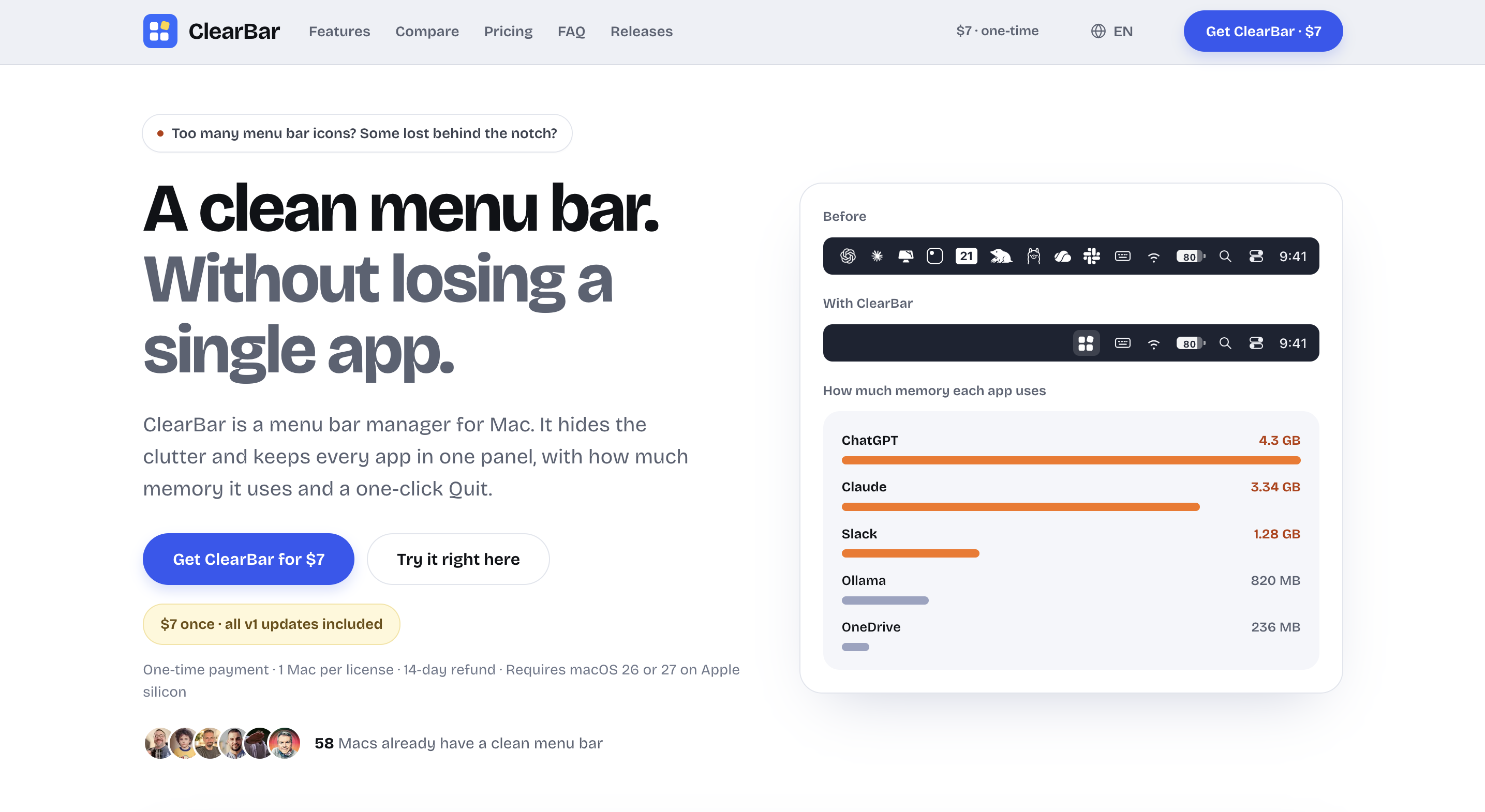
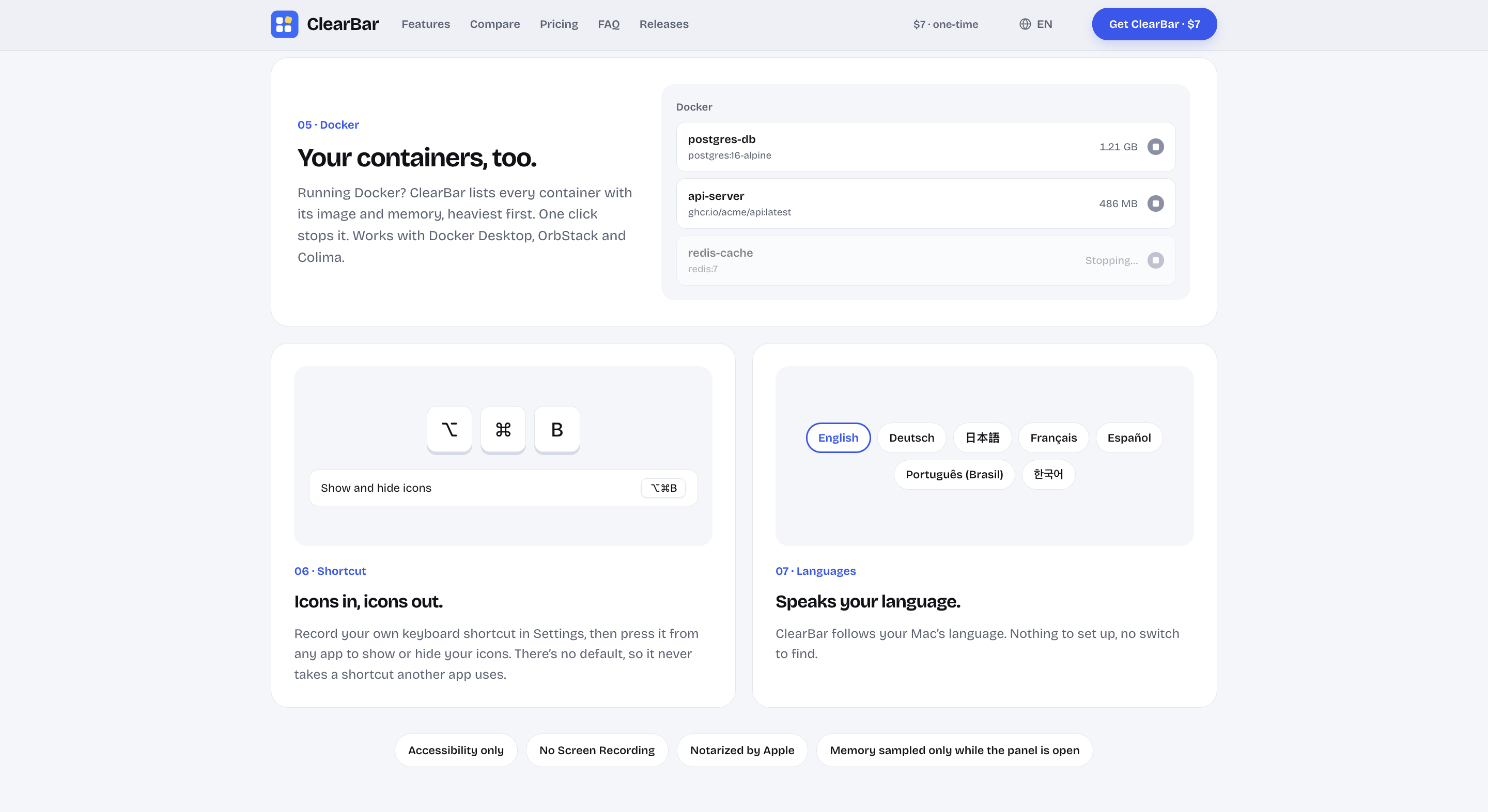
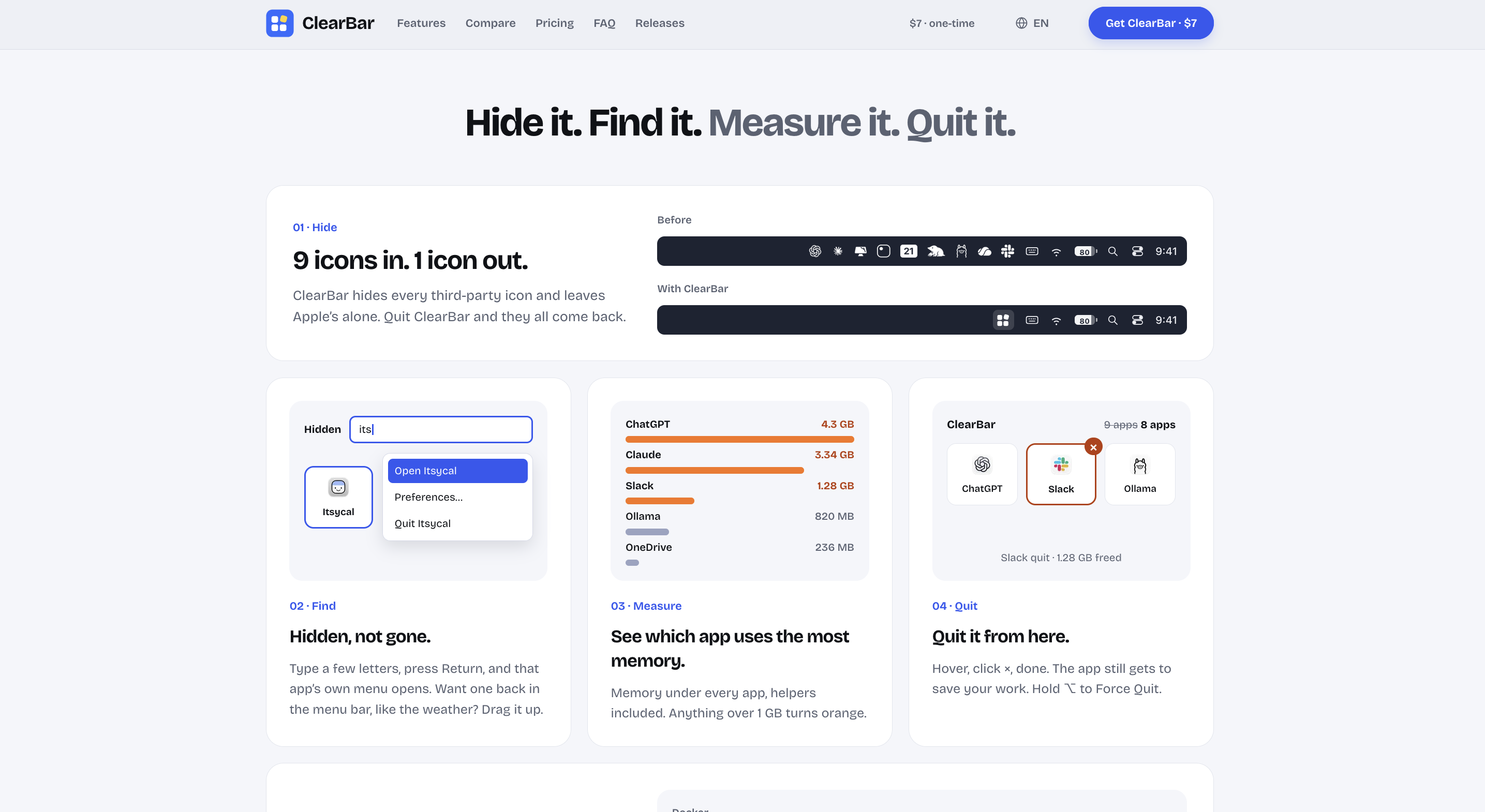
ClearBar is a Mac menu bar manager that consolidates all icons into a single panel, shows each app’s memory usage, and provides a one‑click quit button. It hides clutter, even icons behind the notch, for a cleaner desktop experience. The tool offers features that go beyond standard menu bar cleaners by displaying real‑time resource data.
The case
Who it is for
Mac users who want a cleaner menu bar and quick app management
What is broken today
Many Mac users have a cluttered menu bar with icons from multiple apps, making it hard to find the right one. Tracking memory usage and quitting apps directly from the bar is cumbersome, often requiring multiple clicks or separate tools.
What it does about it
ClearBar consolidates all menu bar icons into a single panel, displays each app's memory consumption, and provides a one‑click quit button. It also hides icons behind the notch for a cleaner look.
Why not the obvious alternative
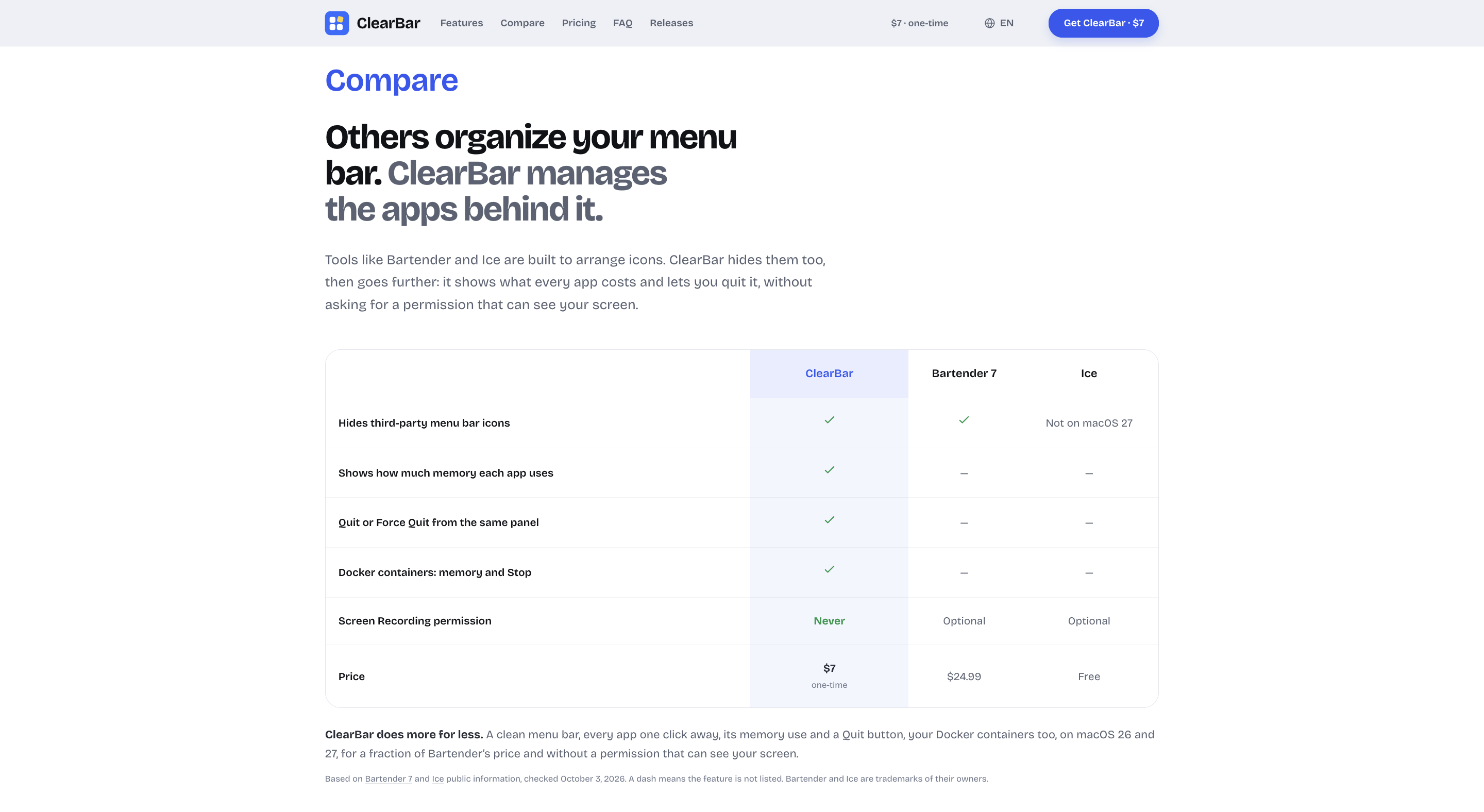
Unlike Bartender or Ice, ClearBar shows real‑time memory usage for each app within the panel and offers a one‑click quit action, simplifying app management without needing a separate quit menu.
Gallery


Details
Evidence
Every claim carries a source and a date
domain: verified
Source badge · verified 2026-11-20
Considered instead of
Named by the maker, not measured by us. It tells you what this is competing with, not which one wins.
Questions
- What does ClearBar do?
- ClearBar consolidates all menu bar icons into a single panel, hides clutter, shows memory usage, and offers a one‑click quit.
- Is ClearBar compatible with Macs that have a notch?
- Yes, ClearBar can hide icons behind the notch for a cleaner appearance.
- How does ClearBar differ from Bartender?
- ClearBar displays real‑time memory usage for each app and provides a one‑click quit button, features not found in Bartender.
No comments yet. Be the first to give the maker feedback.