Perch
Live this weekDynamic Island for Windows

About
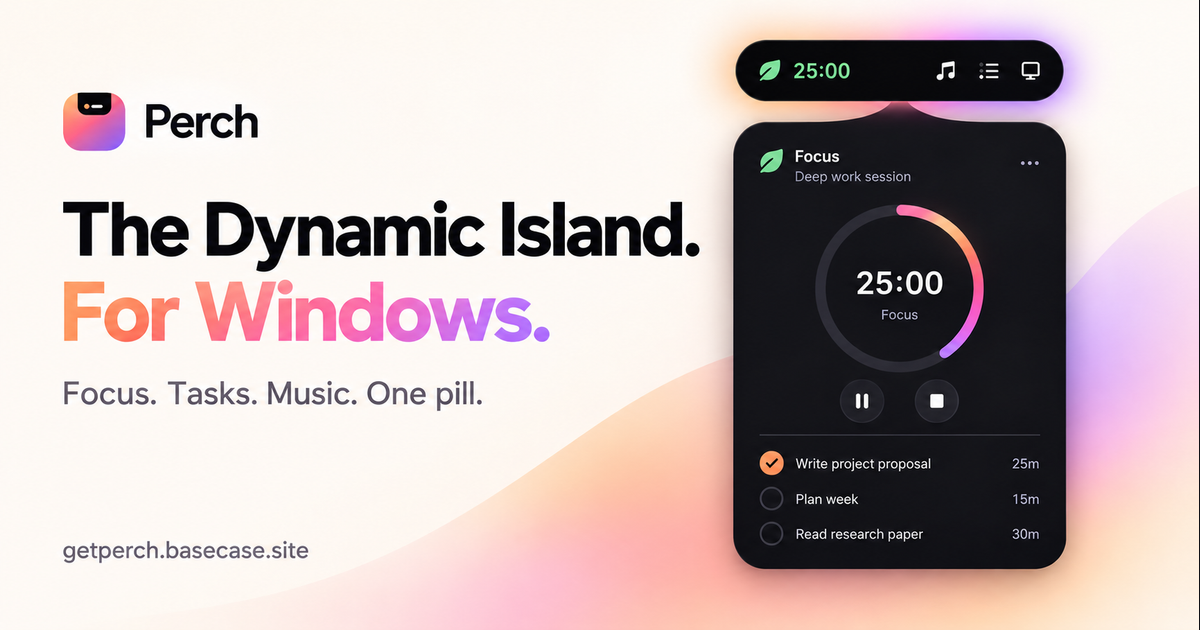
Perch is a notch‑style productivity app for Windows 10 and 11 that places a small pill at the top of the screen. Hovering or pressing a global shortcut opens a single interface that contains fourteen tools, including a Pomodoro timer, tasks with reminders, notes, media controls, clipboard history, and screen‑time tracking. All data stays locally on the PC, and the app requires no account or internet for core functions.
The case
Who it is for
Windows 10/11 users who need a lightweight, always‑on productivity hub that stays out of sight until needed.
What is broken today
On Windows, users typically juggle multiple separate applications for focus timers, task lists, notes, media control, clipboard history, and screen‑time tracking. Switching between windows or opening different apps creates visual clutter, interrupts workflow, and often requires online accounts or subscriptions. Local data is scattered, and there is no single, unobtrusive place to manage these tools.
What it does about it
Perch places a pill at the top of the screen that opens on hover or a global shortcut. Inside the pill, fourteen productivity tools are available: a Pomodoro timer, tasks with reminders, a daily notepad, media controls for Spotify and others, clipboard history, file shelf, link manager, calculator, unit converter, emoji picker, web search, insights into focus trends, screen‑time analytics, GitHub activity, system stats, and more. All core data is stored locally on the PC; the app only needs internet for activation, updates, and optional online features like weather or GitHub sync.
Why not the obvious alternative
Unlike separate apps or built‑in Windows tools, Perch bundles all essential productivity utilities into one minimal, always‑on pill that never intrudes until hovered. It requires no account, no telemetry, and offers free, perpetual updates with a one‑time payment. Its Dynamic Island‑style interface keeps focus tools accessible while keeping the desktop uncluttered.
Gallery
Details
Considered instead of
Named by the maker, not measured by us. It tells you what this is competing with, not which one wins.
Questions
- What is Perch?
- Perch is a notch‑style productivity app for Windows 10 and 11. A small pill at the top of the screen opens on hover into fourteen tools, including a Pomodoro timer, tasks with reminders, notes, media controls, clipboard history, and screen time. Your personal productivity data is stored on your PC.
- How do I open Perch?
- Hover over the pill at the top of your screen, use the tray menu, or press Ctrl+Alt+Space (the default shortcut, customizable in Settings). Inside Perch, Ctrl+K opens the command palette to find tools, start timers and add tasks.
- Does Perch work offline?
- Your tasks, notes and productivity tools run locally. Weather, GitHub activity, saved‑link previews and updates need an internet connection. Licence activation also needs internet; after successful validation you can use the app offline.
Om PatelMaker2h
We built Perch to bring the Dynamic Island experience to Windows. With a single pill you can access timers, tasks, notes, media controls and more, all from hover. No account, no tracking – just local data.