
OnScreenRuler
VerifiedLive this weekFree online ruler for any screen

About
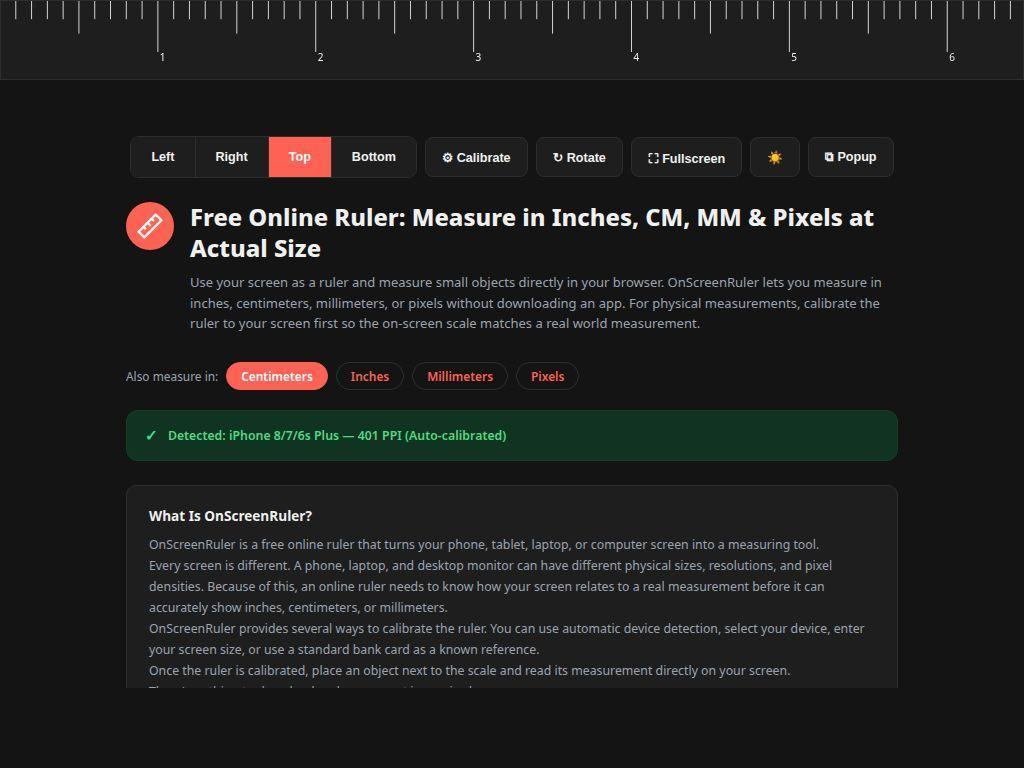
OnScreenRuler turns any phone, tablet, laptop, or desktop screen into a measuring tool. It offers automatic device detection, manual device selection, screen size entry, or a bank‑card reference for calibration, so measurements in inches, centimeters, millimeters, or pixels are accurate. No app or account is required, and the tool is free to use.
The case
Who it is for
A freelance designer checking dimensions on the fly.
What is broken today
Before OnScreenRuler, anyone needing to measure an object or a digital element had to rely on a physical ruler, a separate app, or manual calculations. Physical rulers are often missing, apps require downloads and accounts, and pixel measurements need conversion. This made quick, on‑the‑spot measurements cumbersome.
What it does about it
OnScreenRuler is a browser‑based tool that calibrates your screen to real‑world units. Users can let the tool auto‑detect the device, manually select a model, enter a screen diagonal, or use a standard bank card to set the scale. Once calibrated, the ruler can be moved, rotated, or placed anywhere on the screen to read inches, centimeters, millimeters, or pixels.
Why not the obvious alternative
Unlike generic pixel rulers, OnScreenRuler provides multiple calibration methods—including automatic detection and a bank‑card reference—ensuring accurate real‑world measurements. It runs entirely in the browser with no download or account, saves calibration in the browser so you don't repeat it, and offers features such as rotation, fullscreen, and light/dark modes that make it adaptable to any workspace.
Gallery
Details
Evidence
Every claim carries a source and a date
domain: verified
Source badge · verified 2026-10-14
Questions
- Is OnScreenRuler accurate?
- After proper calibration, measurements are typically within 1–2 % of the real size. For critical measurements, verify with a physical ruler or caliper.
- How do I calibrate the ruler?
- Choose auto‑detect, select your device, enter screen size, or use a standard bank card. Adjust the guide until it matches the card width, then click Apply.
- Do I need an account or to download anything?
- No. The tool runs in your browser, requires no download, and does not need an account. Calibration data is stored locally in your browser.
- Does it work on mobile devices?
- Yes. OnScreenRuler works on phones, tablets, laptops, and desktop browsers with the same features.
Andy BMaker5h
We built OnScreenRuler to give you a quick way to measure objects directly on your screen. No app, no account, just open the site and calibrate. It's free and works on any device.