
Follow Up Bot
Simple follow-up reminders for unanswered Slack questions
About
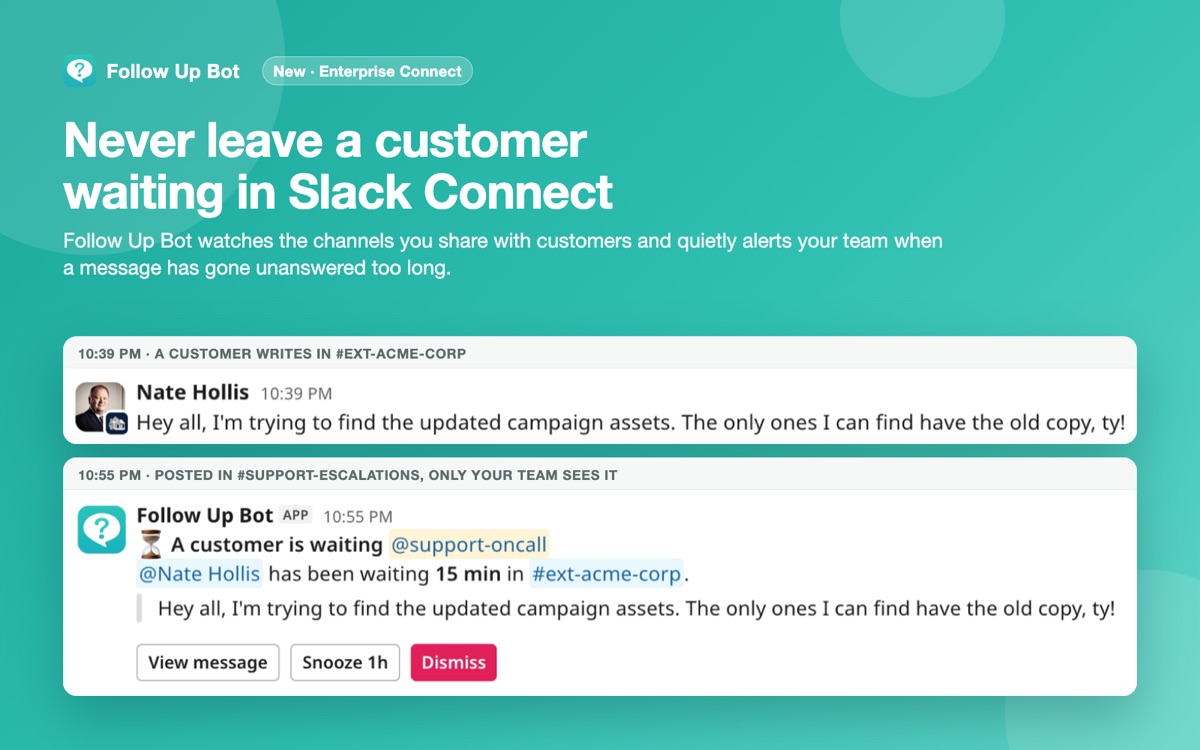
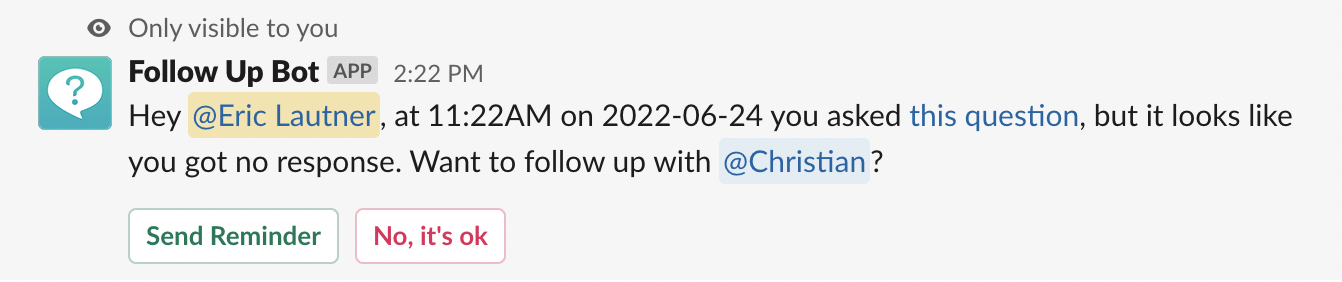
Follow Up Bot is a Slack app with simple follow-up reminders for unanswered Slack questions. If a teammate hasn't replied to your @mention in time, the bot privately offers to send a short, neutral reminder. It also watches Slack Connect channels and alerts your team when a customer is left waiting. Reads only invited channels and never stores message content. Flat price per workspace, 7-day free trial.
The case
Who it is for
Support managers and team leads who rely on Slack to coordinate responses and need a simple way to track and nudge unanswered questions.
What is broken today
In busy Slack channels, questions often get buried and go unanswered. Teams manually track @mentions, risk missing follow‑ups, and lack a single view of pending responses. Customer‑facing teams using Slack Connect cannot easily monitor how long a customer waits before a reply, leading to inconsistent customer experience.
What it does about it
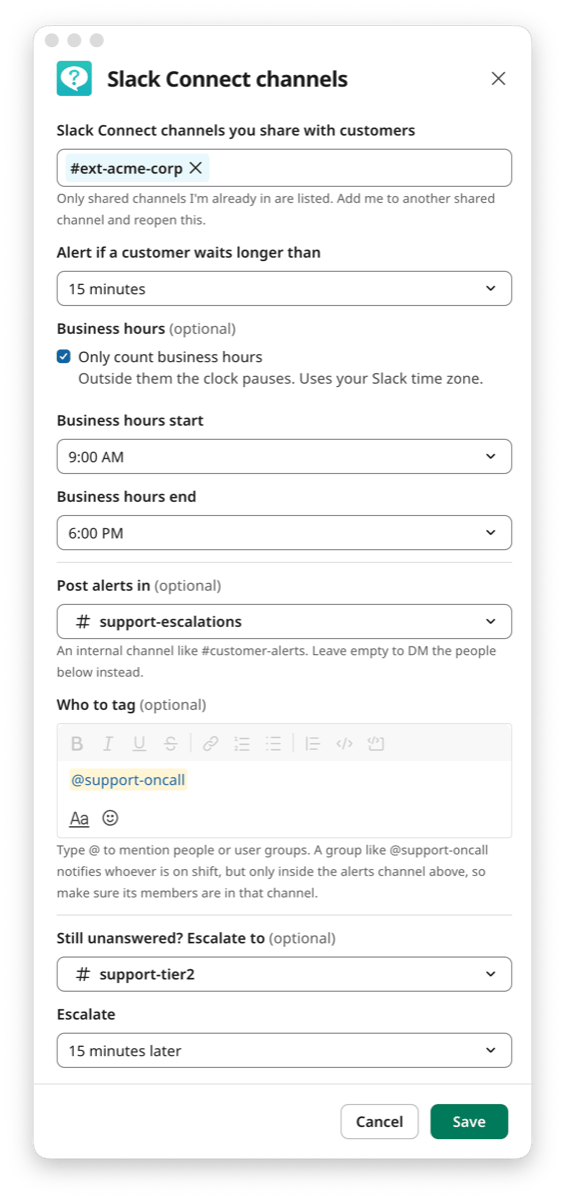
The bot monitors all channels it is in for @mentions. After a configurable delay it privately asks the asking user whether to send a reminder. If approved, it posts a short, neutral reminder linked to the original question. For Slack Connect channels, the bot quietly sends a private alert to a chosen channel or on‑call group when a customer waits longer than the set response target, with optional escalation to a second channel.
Why not the obvious alternative
Unlike generic reminder tools or Slack’s built‑in reminders, Follow Up Bot operates entirely within Slack, tracks @mentions automatically, and delivers private, non‑intrusive reminders. It supports customer channels via Slack Connect, offers escalation, and charges a flat workspace price rather than per‑seat fees, eliminating the need for a separate ticketing system.
Gallery

Details
Considered instead of
Named by the maker, not measured by us. It tells you what this is competing with, not which one wins.
Questions
- Does it work between colleagues, or only with customers?
- It works both. Following up on questions between coworkers is part of every plan, and watching shared Slack Connect channels for waiting customers is an extra that comes with Enterprise Connect.
- Do I need Slack Connect to use it?
- No. Most teams use it entirely inside their own workspace. Slack Connect only matters if you want alerts for customer channels.
- Do you have access to my questions or messages?
- No. Your messages stay on Slack's servers. An automated system detects unanswered questions; we don't see or store message contents. For customer channels we keep only the timestamp and sender of a message until it is answered.
- How does the Slack Connect alerting work?
- Open the bot's Home tab, choose Set up customer channels, pick the shared channels to watch, set a response target, tag the people or on‑call group to alert, and pick the alert channel. The bot will then send a private alert when a customer waits longer than the target.
helloMaker13h
We're excited to launch Follow Up Bot, a Slack‑integrated reminder system that ensures no question goes unanswered. Whether you're following up with teammates or keeping customers in the loop, the bot automatically nudges the right people at the right time. Try it free for 7 days and see how effortless follow‑ups can be.